Adorable DIY Projects for Cricut & Silhouette Users
👶 Introduction: The Magic of Baby 3D SVG Crafts
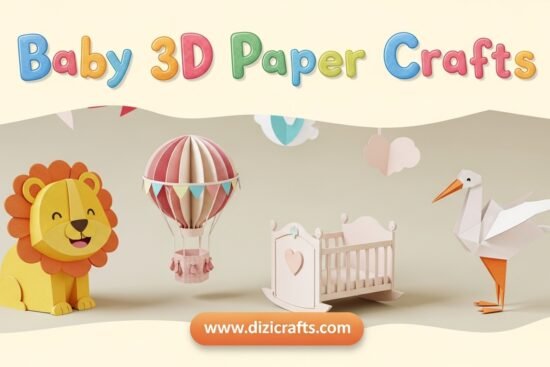
Few things spark more joy than making something soft, pastel, and full of love for a new little one. Whether you’re a mom designing nursery décor or a hobby crafter creating heartfelt gifts, Baby 3D SVG crafts turn flat cardstock into keepsakes that feel alive. With a Cricut or Silhouette cutting machine, you can build layered paper art, shadow boxes, name signs, and mobiles that become family treasures.


💡 What Are 3D SVG Crafts?
A 3D SVG file is a digital design containing multiple cut layers that, when stacked with foam tape or glue, create depth and shadow. Unlike flat decals, these crafts feel dimensional — perfect for nursery art, wall frames, or baby milestone photos.
You can cut these SVGs on:
- 🖍️ Cricut Maker / Explore Air / Joy
- ✂️ Silhouette Cameo 3, 4, or Portrait 3
🎨 Why Baby Themes Work So Well
Baby designs bring universal appeal — they’re soft, joyful, and always in demand. Themes like sleeping moon & stars, baby animals, or tiny footprints look stunning in 3D form. Plus, they’re meaningful gifts for:
- Baby showers
- Gender-reveal parties
- Nursery wall décor
- Scrapbook covers
- Keepsake frames
3D SVG baby projects also sell well on platforms like Etsy, because parents love handmade touches that feel personal.


🧵 Materials You’ll Need
To start your first Baby 3D SVG craft, prepare these supplies:
- Cutting machine (Cricut or Silhouette)
- Fine-point blade
- 65–80 lb cardstock in pastel colors
- Foam adhesive dots or tape for layer spacing
- Precision glue pen for details
- Weeding tool or tweezers for small pieces
- Shadow box frame (optional)
Pro tip: Use soft color palettes — baby blue, mint, lavender, peach, or cream — they photograph beautifully and suit nursery vibes.


🧸 Inspiring Baby 3D SVG Ideas
Here are beginner-friendly ideas that work for both Cricut and Silhouette users:
- Layered Baby Name Shadow Box
Cut layered clouds, stars, and your baby’s name in script font — perfect for gifts and room decor. - Sleeping Moon & Stars Wall Art
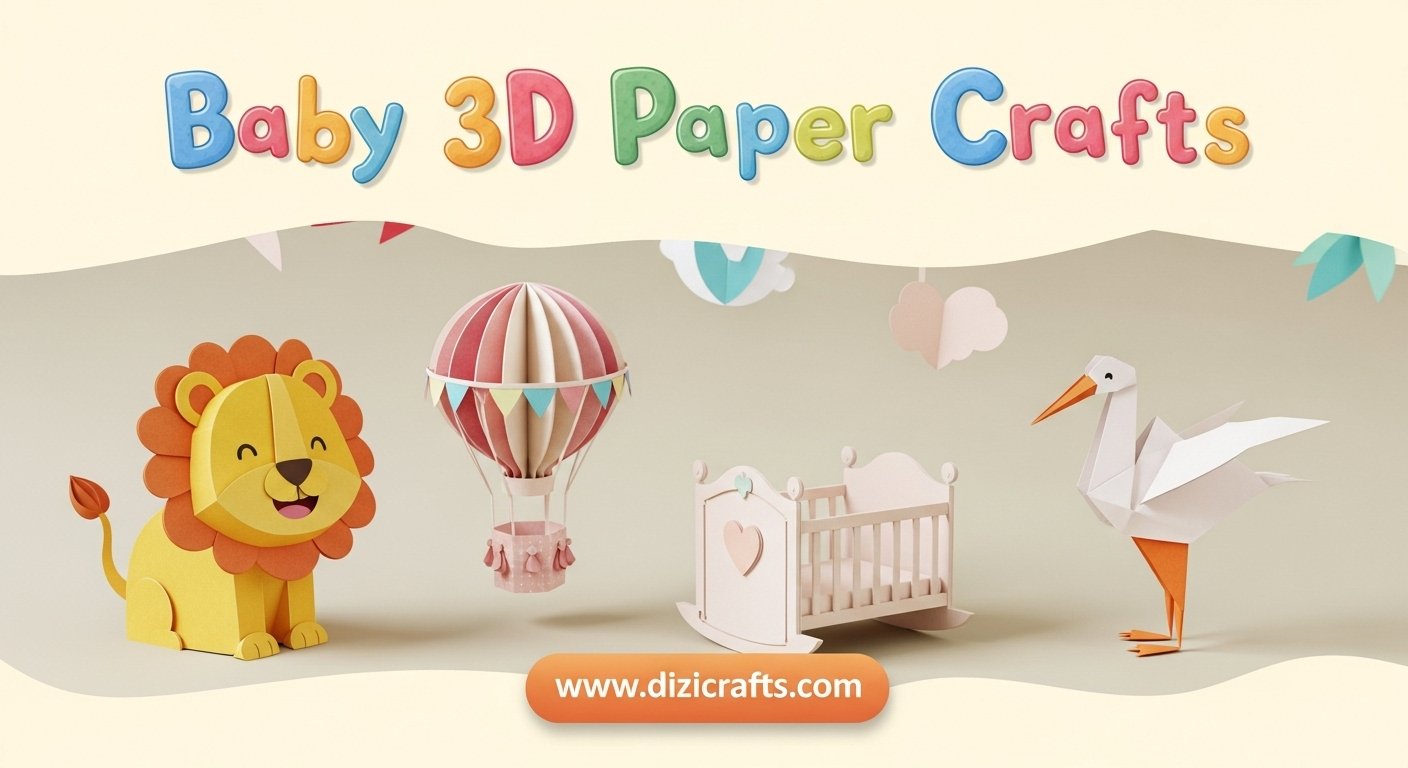
Combine a crescent moon base with tiny 3D stars and a cute sleeping face layer on top. - Baby Animal Set (Lion, Elephant, Bunny)
Create matching 3D animals for a nursery wall series — they look adorable in frames. - Baby Shower Cake Topper
Make a multi-layer “Welcome Baby” sign with balloons and ribbon elements. - 3D Alphabet Blocks
Cut cube faces with letters and baby icons — assemble as photo props or centerpieces.


🪡 Step-by-Step Tutorial: Layered Baby Name Shadow Box
Skill Level: Beginner
Time: 1–2 hours
- Choose Design – Find a Baby Name SVG file that includes 3–6 layers (clouds, stars, name plate).
- Import & Resize – Upload the file into Cricut Design Space or Silhouette Studio. Set size around 8×8 inches for shadow box frames.
- Cut Each Layer – Use different cardstock colors for depth and contrast. Set pressure to “Cardstock – Medium.”
- Assemble Layers – Place foam dots between each layer starting from the bottom. Align carefully.
- Add Details – Optional: glitter accents, vellum for a soft cloud effect, or LED backlight for a night-light look.
- Frame It – Insert into a shadow box frame and seal with a dust-free cover.
✨ Result: A beautiful 3D baby name art that looks professionally made yet completely handcrafted.
💬 Tips for Perfect Results
- Keep layers aligned: Use registration marks when cutting multiple colors.
- Use foam dots sparingly: Too much height makes framing hard.
- Avoid heavy glue: Cardstock can warp if too wet.
- Save scraps: Tiny leftovers make great stars or heart embellishments.
- Test cut first: Different machines handle small details differently.


🌟 Going Beyond Baby Crafts
Once you master Baby 3D SVGs, you can expand your creations to:
- Seasonal themes: Christmas baby ornaments, Easter bunnies, first birthday frames.
- Personalized gifts: Add birth date, weight, or footprint icons.
- Digital selling: If you design your own SVGs, consider selling them on Etsy or Creative Fabrica for extra income.
🧩 Common Questions
Q: Can I use printable papers instead of cardstock?
A: You can, but cardstock gives structure and shadows that make the 3D effect pop.
Q: Which machine setting is best for fine details?
A: Use “Cardstock – Intricate Cuts” on Cricut and “Blade Depth 3” on Silhouette for thin lines.
Q: What if I don’t have foam dots?
A: Use folded scraps of cardstock as spacers — cheap and effective!
Q: Can I add vinyl on top of a 3D SVG layer?
A: Yes, especially for baby names or phrases like “Sweet Dreams.” Use removable vinyl for clean edges.
💖 Conclusion: Tiny Projects That Hold Big Love
Baby 3D SVG crafts aren’t just pretty decor — they’re heartfelt memories you build layer by layer. With a bit of patience and imagination, you can create something that makes parents smile and nurseries feel warm. Whether you cut on a Cricut or Silhouette, each piece becomes a story of love crafted by hand.
Start with simple designs, experiment with colors, and let your creativity grow — one baby project at a time.